
Main Menu
MyProfile
Jakarta, 22 September 2020 - MyProtection News
Hi, Sahabat MyProtection!
Jalan Prima punya tambahan klinik rekanan, lho! Kalau sebelumnya Jalan Prima hanya bisa digunakan di Siloam Clinics rekanan, sekarang Anda juga bisa menggunakan fasilitas klaim cashless di klinik rekanan lainnya yang tersebar di Indonesia. Temukan daftar klinik rekanan Jalan Prima di sini.
Bagi Sahabat MyProtection yang belum tahu apa itu Jalan Prima, kita kasih bocorannya, nih.
Jalan Prima merupakan asuransi kesehatan online yang memberikan manfaat rawat jalan tanpa harus beli manfaat rawat inap dulu. Berikut ini fitur menarik dari Jalan Prima.
Preminya pun sangat terjangkau terjangkau, hanya Rp 600.000/tahun saja. Pembayaran bisa menggunakan online banking, Kredivo, dan cicilan kartu kredit.
Info lebih lanjut silakan terkait produk hubungi tim MyProtection di cs@myprotection.id atau 0804 133 888.
Salam,
Sahabat MyProtection
*Syarat & ketentuan berlaku



Jakarta, 16 Desember 2019 - MyProtection News
Banyak cara untuk mendapatkan rupiah. Salah satunya dengan menjalankan bisnis barang preloved atau barang bekas. Ide bisnis satu ini sangat sederhana dan membutuhkan modal hampir 0 rupiah. Jika Anda memiliki banyak barang yang menganggur di pojok ruangan Anda, atau pakaian lama yang menumpuk di lemari, maka Anda bisa mempertimbangkan untuk menjualnya.
Akhir-akhir ini tren untuk menjual produk preloved juga semakin meningkat. Pemilik barang bisa meraup keuntungan sekaligus mengurangi space yang terpakai untuk barang preloved. Pembeli juga bisa mendapatkan barang dengan harga lebih murah dan kualitas yang cukup baik. Selain itu, dengan membeli barang bekas bisa mengurangi sampah dan sifat konsumerisme berlebih.
Pilihlah barang yang akan Anda jual
Memilih barang bekas yang akan Anda jual bisa jadi susah-susah gampang. Barang yang bisa Anda jual sangat beragam seperti pakaian layak pakai, mainan bekas, furnitur rumah, pajangan atau barang antik, hingga barang yang besar seperti mobil atau motor. Jangan lupa, Anda hanya bisa menjual barang yang memiliki value atau layak pakai.
Tentukan harga yang sesuai
Biasanya, produk preloved akan memiliki harga yang lebih rendah dari harga beli aslinya. Pertimbangan dalam memberikan harga dapat dilihat dari kebaruan produk, masa pakai dan intensitas penggunaan produk, dan kualitas produk. Misalnya, Anda memiliki baju yang belum pernah terpakai. Anda bisa menjual baju tersebut sebesar 75% - 80% dari harga aslinya. Namun, tidak jarang juga lho terdapat produk preloved yang memiliki harga lebih tinggi daripada harga beli. Contohnya, barang antik dan vintage seperti motor vespa kini memiliki harga tinggi di pasaran.
Pasarkan produk Anda
Setelah menentukan produk yang akan Anda jual beserta harganya, maka langkah terakhir adalah memasarkan produk tersebut. Kini, Anda bisa menjual produk bekas melalui e-commerce atau social media. Jangan lupa untuk mengambil foto terbaik dan produk yang akan Anda jual. Berikan informasi memadai tentang produk bekas yang Anda jual.
Apakah Anda tertarik untuk mencoba berjualan barang bekas?
Salam,
Sahabat MyProtection
Did you know that car tire pressure can directly affect driving comfort and performance?
For example, tires with low pressure are more prone to puncture on rocky roads and may increase the risk of accidents. On the other hand, tires with excessively high pressure raise the risk of aquaplaning on wet roads.
So, what is the ideal car tire pressure based on vehicle type, load weight, and tire size? Let’s dive into the details below!
Because tire pressure plays a crucial role, knowing the ideal tire pressure for your car is essential.
In general, the recommended tire pressure depends on the type of car, wheel size or rim, and the manufacturer’s specifications.
To ensure your tire pressure is right, you can check the tire-loading information that is usually found on the driver’s side door frame of the car.
Another factor that influences the required tire pressure is vehicle loading. The heavier the load the car carries, the higher the tire pressure should be.

Although it varies, here are some common standards for ideal tire pressure based on popular car types in Indonesia:
For SUV cars, the ideal car tire pressure is around 35 – 40 psi
For sedan cars, the ideal car tire pressure is around 30 – 33 psi
For city cars, the ideal car tire pressure is around 30 – 36 psi
For MPV cars, the ideal car tire pressure is around 33 – 36 psi
There are also some standard recommendations for ideal car tire pressure based on rim size:
Rim 13 tires, which include size 155/70 R13, 165/70 R13, 185/70 R13, 205/70 R13, the ideal car tire pressure is around 28 – 31 psi.
Rim 14 tires, which include size 165/65 R14, the ideal car tire pressure is around 28 – 29 psi for the front tires and 25 – 26 psi for the rear tires.
Rim 14 tires, which include size 165/70 R14, the ideal car tire pressure is around 30 – 33 psi for both front and rear tires.
Rim 14 tires, which include size 175/50 R14, the ideal car tire pressure is around 29 – 32 psi for the front tires and 26 – 30 psi for the rear tires.
Rim 15 tires, which include size 175/55 R15, 175/60 R15, 175/65 R15, the ideal car tire pressure is around 30 – 32 psi for both front and rear tires.
Tips to Maintain Ideal Car Tire Pressure
To keep your tire pressure in optimal condition, here are some useful tips that you should know:
Maintain a standard vehicle load and avoid carrying excessive weight, as this can affect tire pressure.
Check regularly if the pressure drops, adjust it immediately to maintain performance, prevent wear, and reduce driving risks.
Avoid filling air when tires are hot, hot tires have higher internal pressure, and adding more air can make the pressure too strong, increasing the risk of a tire burst.
Inspect tire walls frequently, uneven roads, sharp objects, or small stones stuck to the tire walls can cause leaks and reduce tire pressure.
Monitor pressure during cold weather, in low temperatures, tire pressure naturally drops, leading to instability, higher fuel consumption, uneven wear, and potential accidents
*PT Lippo General Insurance Tbk is licensed and supervised by Financial Services Authority (OJK)
Fuel-efficient cars are often the top choice for many Indonesians, especially in big cities like Jakarta, where heavy traffic can significantly increase fuel consumption.
Choosing the right car can help reduce expenses without sacrificing engine performance.
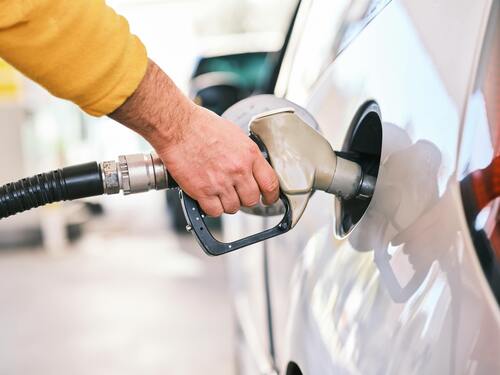
Here are some recommendations for fuel-efficient cars available in Indonesia, their advantages, and comparisons among different options. Check it out!
The first recommendation for a fuel-efficient car is the Honda Brio, a city car that has become quite popular in Indonesia over the past few years.
On highways, Honda Brio’s fuel consumption is impressive, as it can reach 24 km/liter compared to the LCGC regulation standard of 20 km/liter.
Aside from being fuel-efficient, the Honda Brio also offers a spacious and comfortable cabin, as well as a choice between a manual or automatic CVT transmission.
Its affordable price, starting from Rp 170.4 million for the Satya M/T type, is also a strong appeal.
The Suzuki All New Ertiga is also considered a fuel-efficient car, with an average fuel consumption of 10 – 13 km/liter in the city and 18 – 21 km/liter on highways.
This is thanks to its K15 B-coded engine with a capacity of 1.462 cc, 4 cylinders producing 103.2 hp at 6.000 rpm, and peak torque of 138 Nm at 4.400 rpm.
Additionally, this car utilizes a new platform called HEARTECT, which reduces the car’s weight by up to 15%, thereby improving fuel efficiency.
Its market price varies, with used units priced from Rp 100 million to Rp 230 million, while new units are priced between Rp 228.4 million and Rp 262.8 million.
Launched in 2003, the Toyota Avanza has become a household name and a popular choice for those seeking an affordable, fuel-efficient car.
With a tank capacity of 43 liters, the Avanza can travel long distances, achieving an average fuel consumption of approximately 17.6 km/liter.
In the market, used Toyota Avanza units are priced from Rp 127 million to Rp 227 million, while new units range from Rp 233.1 million to Rp 272.5 million.
The Honda All New BR-V is another fuel-efficient option, with fuel consumption reaching 11.7 km/liter in city driving and 14 km/liter on highways.
It also features an eco-indicator, which helps drivers adopt a more efficient driving style.
The Honda All New BR-V is available at prices ranging from Rp 292 million to Rp 385 million, depending on the type and region.
Next are the Daihatsu Sigra and Toyota Calya, both classified as LCGC cars with two engine capacity options, 1000 cc and 1200 cc.
The Toyota Calya can achieve up to 20 km/liter when driving at a constant speed of 100 km/h. At 60 km/h, fuel consumption improves to around 25 km/liter.
In terms of pricing, used Toyota Calya units range from Rp 101 million to Rp 142 million, while new units are priced from Rp 167.6 million to Rp 187.4 million.
So, those are some recommendations for fuel-efficient cars that could be your choice, offering driving efficiency without sacrificing performance. Hopefully, this guide is useful!
*PT Lippo General Insurance Tbk is licensed and supervised by Financial Services Authority (OJK)


